Download current configuration information
It allows for downloading of all “Members”, “PCs”, “Two-factor authentication service settings” and “Authenticator” information registered on the YubiOn Portal, as well as an integrated data report that encompasses all their relations and actual status.
1. Access Download setting report
Click “Download setting report” from the menu on the left side of the screen.
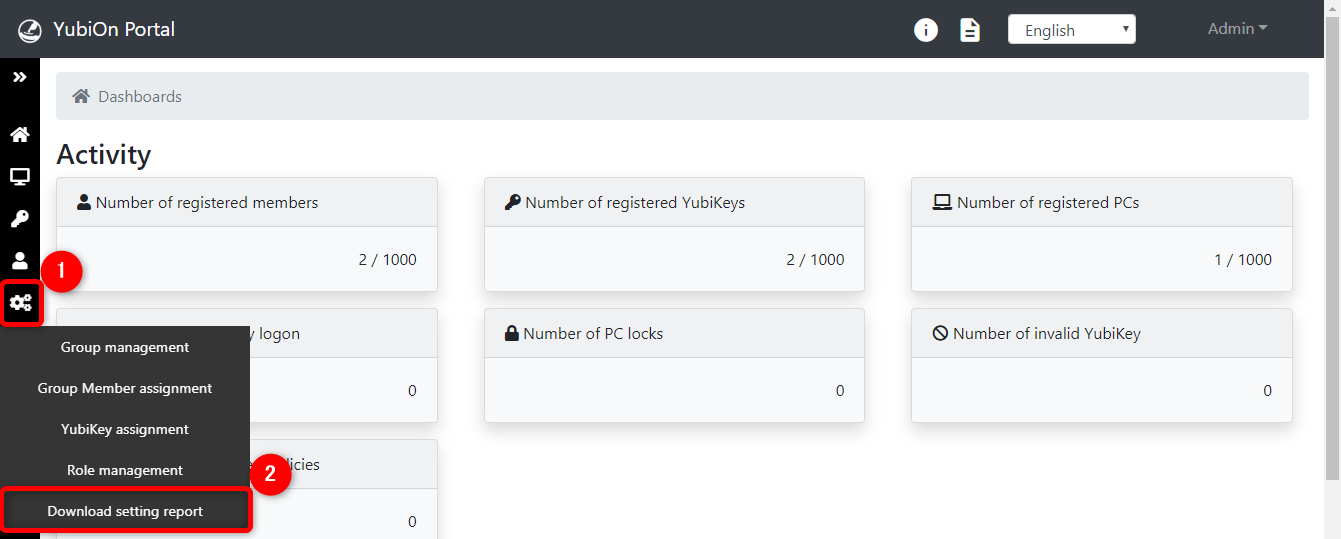
2. Download setting report
Select the data you want to download.
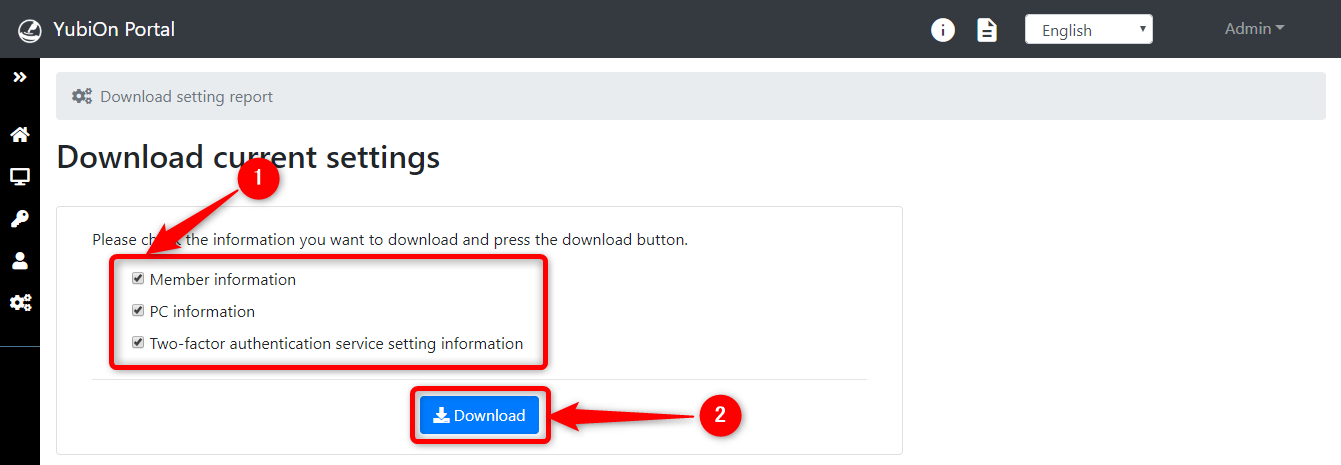
Click on the “Download” button.
Member information
The member registration data can be downloaded as a CSV file.
PC information
The PC registration data can be downloaded as a CSV file.
2FA Service setting information
The two-factor authentication service settings data can be downloaded as a CSV file.
Authenticator information
The authenticator registration data can be downloaded as a CSV file.
Registered information report
An integrated data report that combines the mapping status of members, authenticators, and actual PC client user accounts can be downloaded as a CSV file.
Data with discrepancies (mismatches) between the portal registration and the actual PC usage status will also be output completely without omission. This can be utilized for auditing configuration errors or cleaning up (auditing) obsolete records.